
Sign-in and users
Accounts for your household or team, admins and regular users, sessions you can end at any time.

RDAPI
Public betaPublic beta · self-hosted · open source
RDAPI is the API server for the RustDesk app on your own hardware: sign in, take your address book to every device, see all your devices and every incoming connection.
Free under AGPL-3.0 · No cloud, no telemetry · PC, NAS or Raspberry Pi
Public beta.Everything in RDAPI works, but the official RustDesk ID server (up to 1.1.16) cannot connect a signed-in app yet. Until RustDesk releases the fix, sign out in the app before connecting. Version 1.0 follows with the fix.RustDesk fix #706
Point the RustDesk app at RDAPI and keep your ID and relay server as they are. Your data stays in one small database on your server.
Accounts for your household or team, admins and regular users, sessions you can end at any time.
A personal address book with tags follows you to every device. Edit it in the browser, import or export it as JSON or CSV.
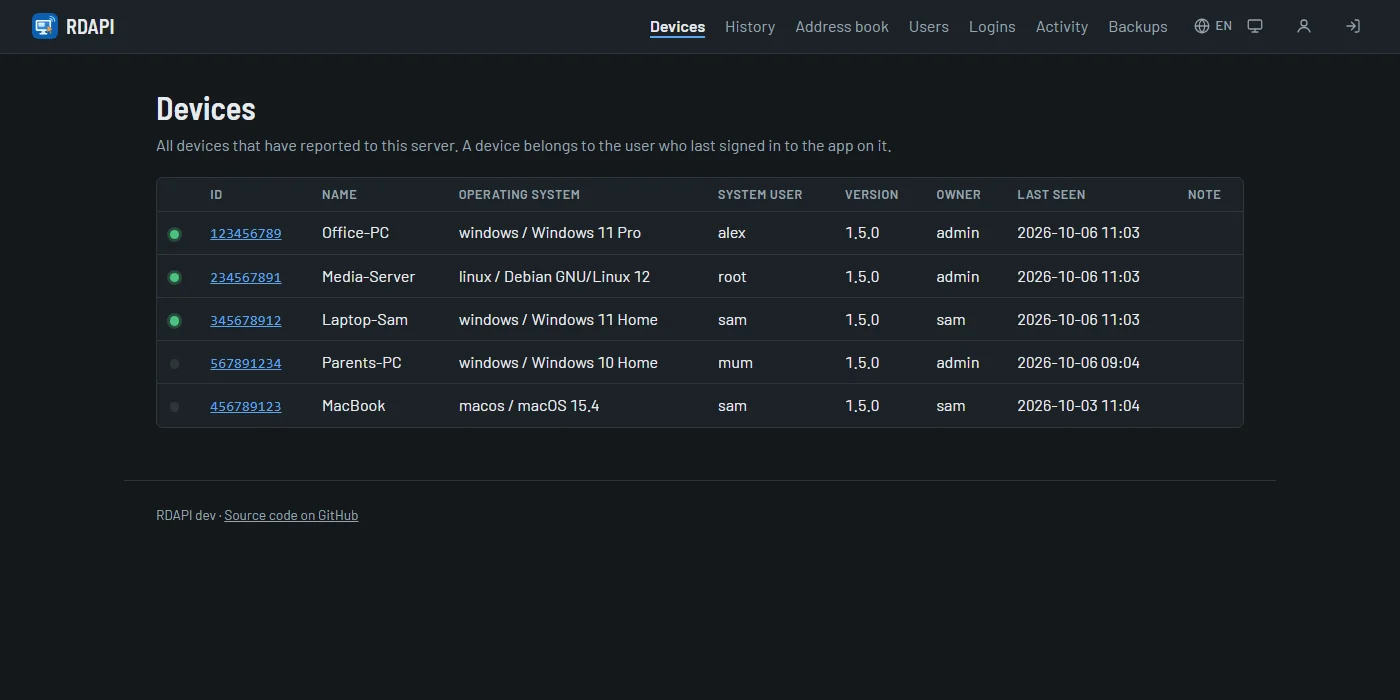
Online status, operating system and version of every device, shown in the app and in the web interface.
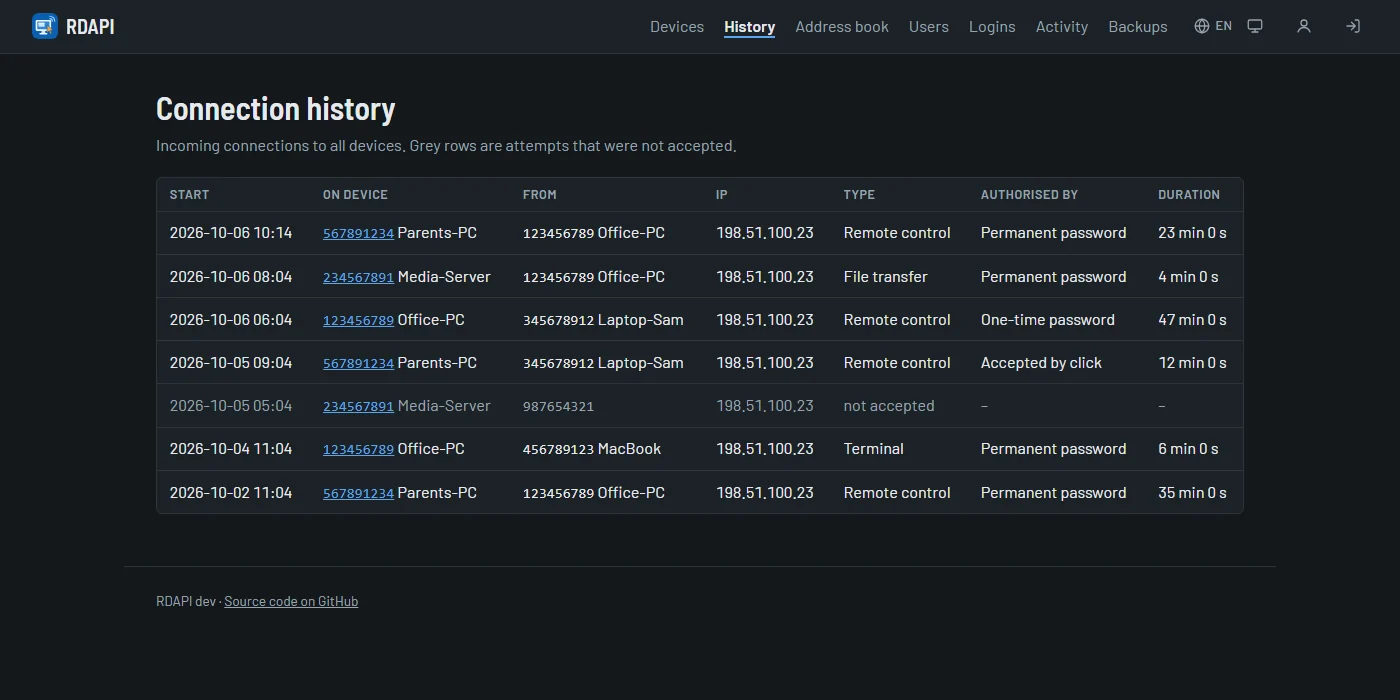
Who connected to which device, when, for how long and how it was authorised, plus rejected attempts and the alarms the app raises after wrong passwords.
Every sign-in attempt and every security-relevant change is recorded, with time and address.
A backup every day, download and restore in the web interface, the current state saved first.
Every device reports its incoming sessions: remote control, file transfer or terminal, with the address of the other side and how access was granted. Filter by device, keep it for a year.
One Docker container for PCs, servers, NAS devices and the Raspberry Pi. Open it in the browser, create the admin account with the code from the log, then enter the address in the app.
# get the compose file and start
mkdir rdapi && cd rdapi
curl -O https://raw.githubusercontent.com/schnuecks/rdapi/main/compose.yaml
mkdir data && chown 1000:1000 data
docker compose up -d
If one of my projects saves you time, you can buy me a coffee on Ko-fi. It keeps the printers running and the next idea coming.