
Plates at a glance
Preview images, print time, weight, filaments per slot and costs for every plate, grouped into projects automatically.

PlateShelf
StableSelf-hosted · open source
PlateShelf archives your sliced files and shows them the way your slicer does: plates, print time, filament, costs and a 3D preview of the real toolpaths.
Free under AGPL-3.0 · No cloud, no telemetry · PC, NAS or Raspberry Pi
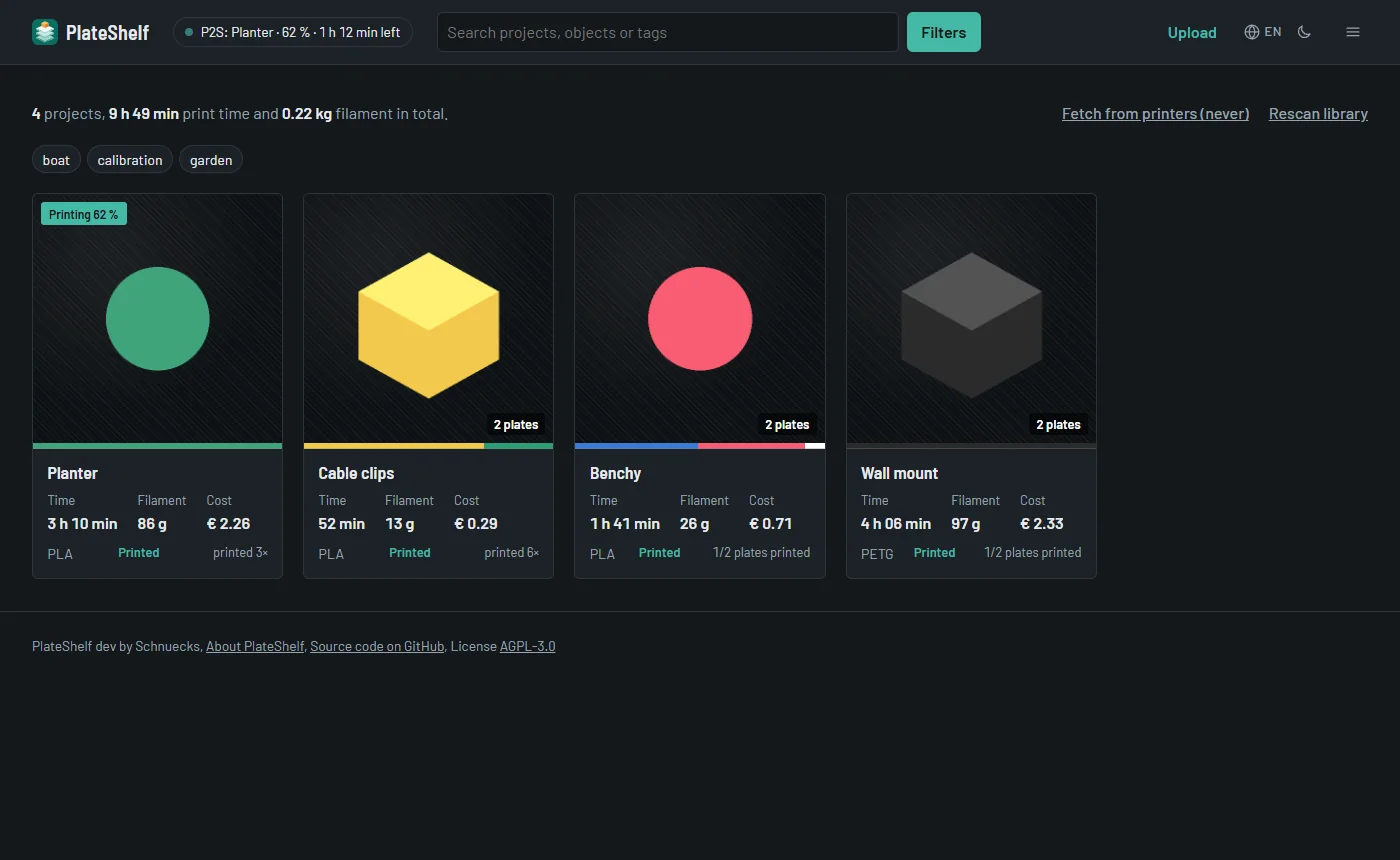
Drop your files into a folder, or let PlateShelf fetch them from your printers. Everything else happens on its own.
Preview images, print time, weight, filaments per slot and costs for every plate, grouped into projects automatically.
Layer slider, print playback and colouring by filament, line type, speed, flow, fan or temperature, right in the browser.
Fetches prints from Bambu Lab, Prusa, Klipper and OctoPrint printers. Every printed plate is kept, nothing gets overwritten.
What was printed when, on which printer, and whether it finished. Filament and costs per month, success rate per printer.
Snap the finished print with your phone, rate it and note what to change next time. Location data is stripped.
User accounts with roles, passkeys and single sign-on, daily backups, encrypted printer credentials. Six languages, five styles, light and dark.
A sliced file holds the finished G-code, so PlateShelf shows the actual toolpaths: outer walls, infill, supports, travel moves and seams, layer by layer. It works offline and adapts to slow devices.

One Docker container for PCs, servers, NAS devices and the Raspberry Pi. Open it in the browser, create your account, done.
# get the compose file and start
mkdir plateshelf && cd plateshelf
curl -O https://raw.githubusercontent.com/schnuecks/plateshelf/main/compose.yaml
mkdir -p library data
docker compose up -d
If one of my projects saves you time, you can buy me a coffee on Ko-fi. It keeps the printers running and the next idea coming.