
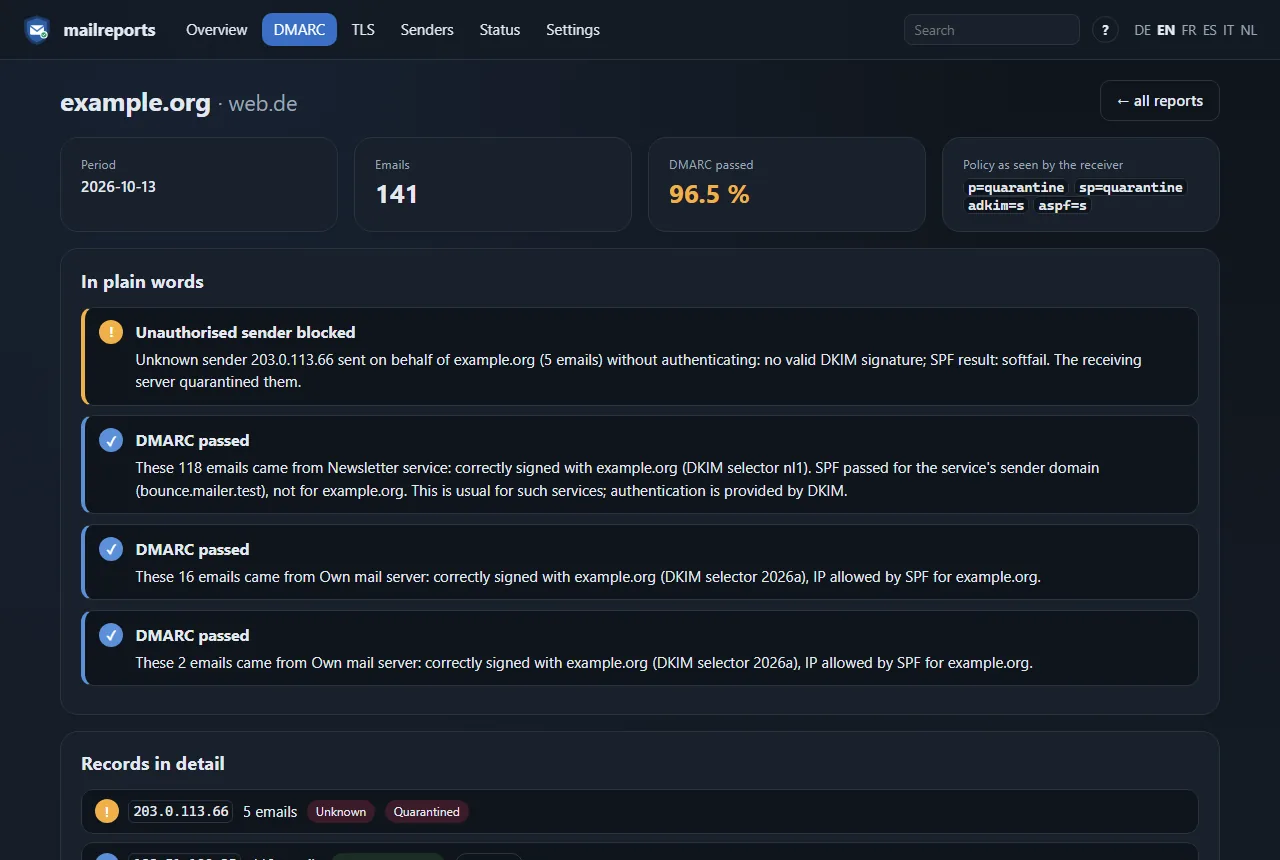
Explained in plain words
Every report record as a sentence: which sender, how many emails, signed or not, and what the receiver did with them.

mailreports
StableSelf-hosted · open source · DMARC & TLS-RPT
mailreports reads the daily DMARC and TLS reports from your mailbox and explains them in plain words instead of XML and result codes: your own server, authorised services, forwarders and senders that should not be there.
Free under AGPL-3.0 · No cloud, no telemetry · amd64 and arm64
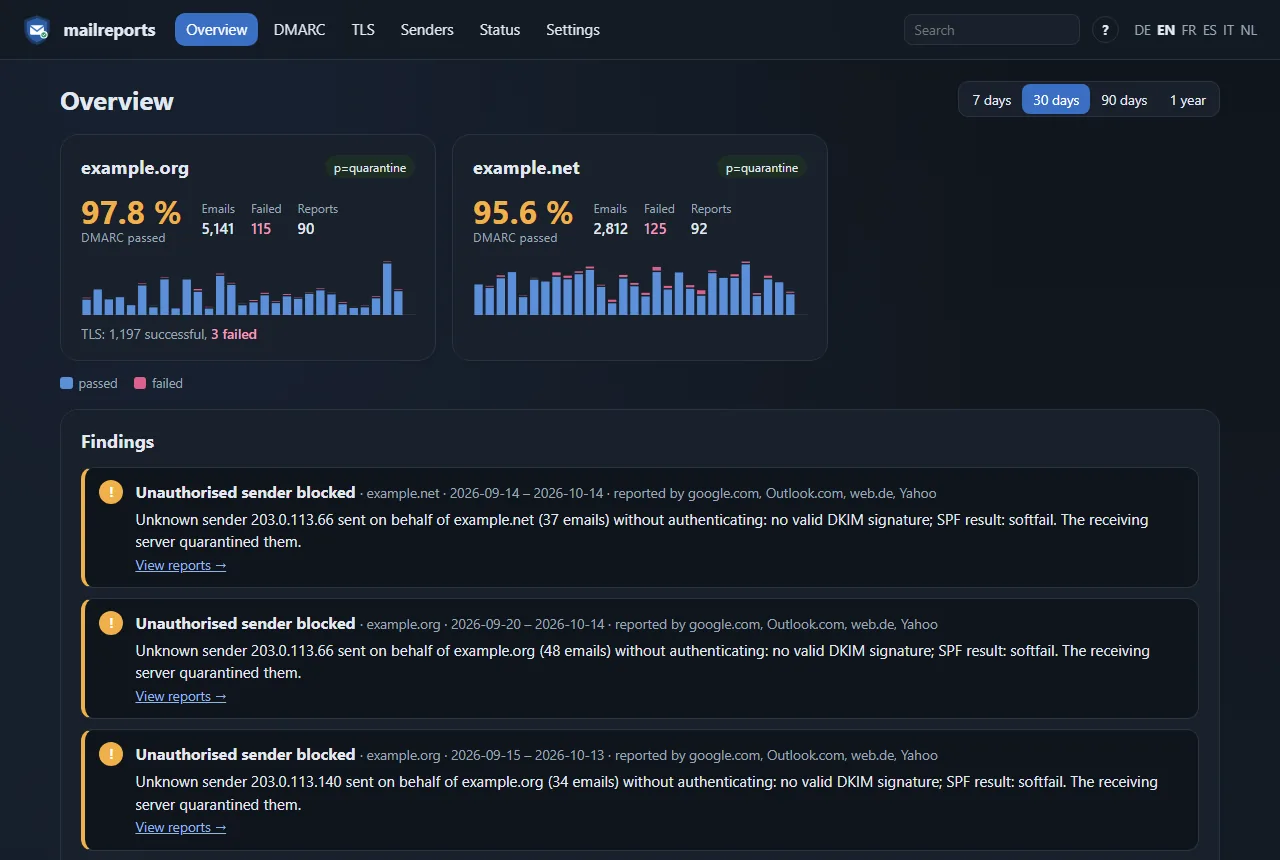
Point the rua= address of your DMARC record and your TLS-RPT record at a mailbox. mailreports fetches, stores and explains everything that arrives there.
Every report record as a sentence: which sender, how many emails, signed or not, and what the receiver did with them.
Your own server, authorised services by DKIM selector, forwarders and unknown senders, with reverse DNS, country and network. Add a known sender with one click from its page.
Whether other servers reached yours over an encrypted connection, for MTA-STS and DANE, with the reason for every failure.
IMAP over TLS, reports as XML, JSON, gzip or zip. Mails are moved or flagged, never deleted, or left untouched in read-only mode.
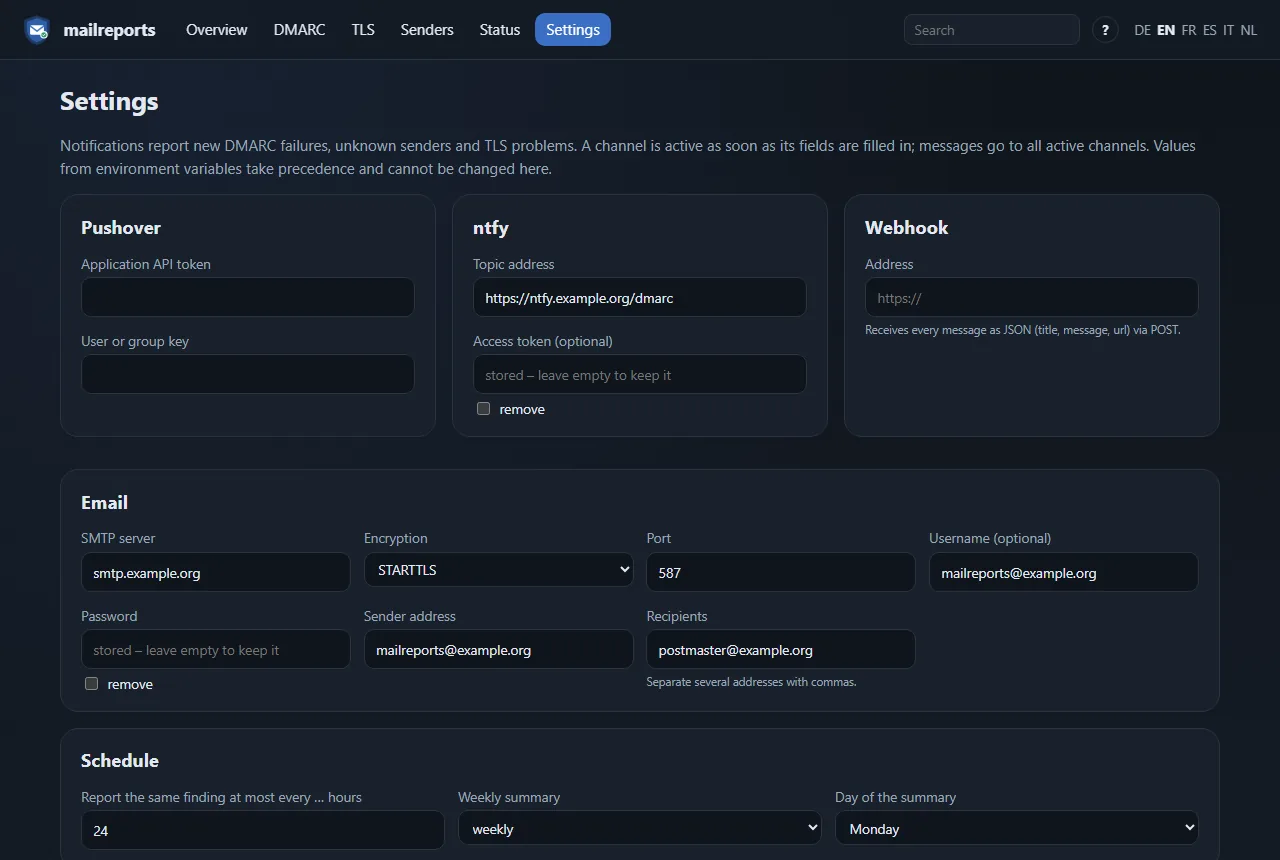
Pushover, ntfy, webhook or email when something fails, at most once a day per finding, plus an optional weekly summary.
Pass rate, daily history and published policy per domain, also as JSON and Prometheus metrics.
DMARC, SPF with its lookup limit, DKIM keys, MX with DANE, MTA-STS, TLS-RPT and BIMI, checked daily, with a message when a record changes or a new problem appears.
The history of every sending IP and a search across addresses, host names, reporters, report IDs and DKIM selectors.
Download original reports, export records as CSV and delete old data automatically after a set number of days.
“These 118 emails came from Newsletter service: correctly signed with example.org.” Or: an unknown sender tried to send as your domain and was rejected. Below each explanation: the DKIM signatures, the SPF check and both sender addresses.
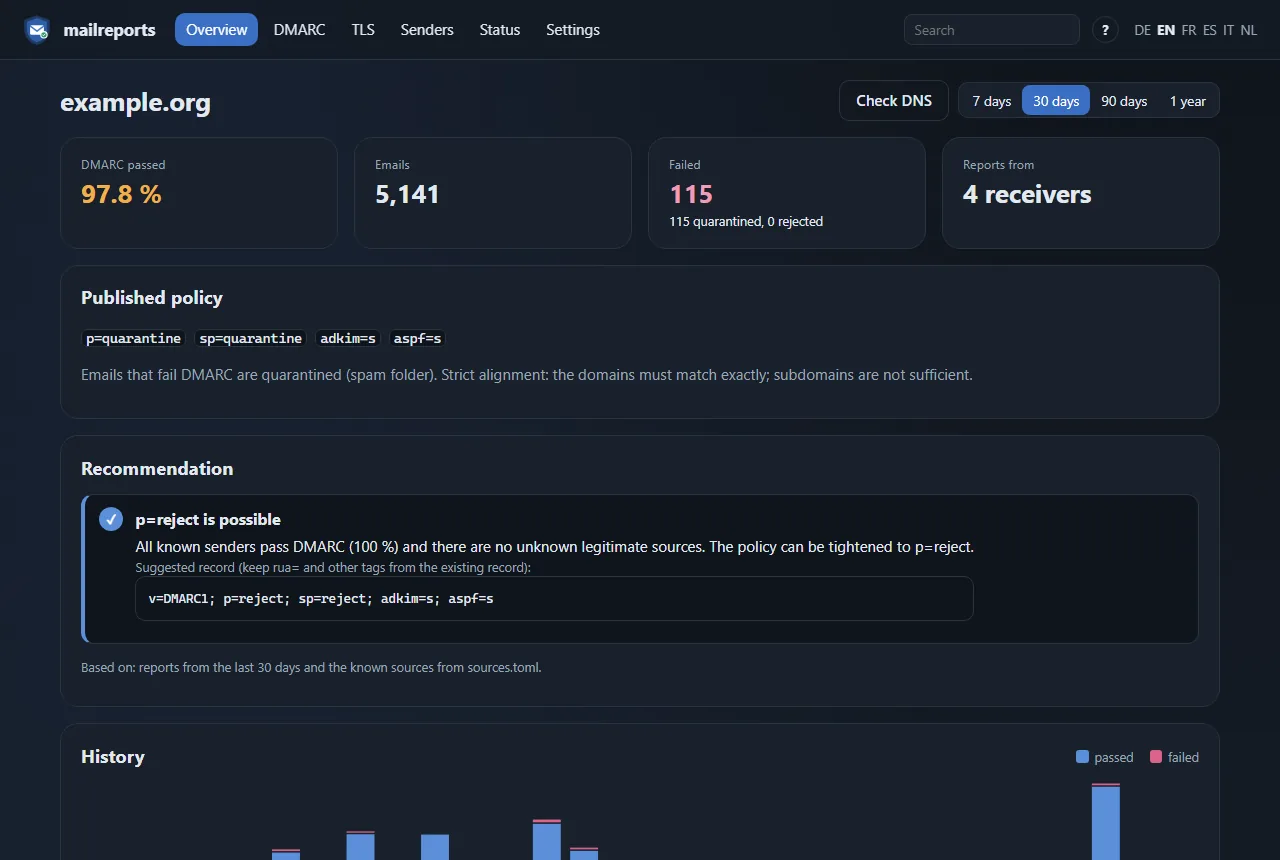
Once the reports show that all your known senders pass, mailreports suggests the next stricter policy with the record to publish. If not, it lists what needs fixing first.
Set up Pushover, ntfy, a webhook or email right in the app and send a test message to check it. Tokens and passwords are stored encrypted.
Enter your mailbox in .env and your own mail server in sources.toml, then start it. The page asks for a setup code from the log and creates the first account.
# get the files and start
mkdir mailreports && cd mailreports
url=https://raw.githubusercontent.com/schnuecks/mailreports/main
curl -O $url/compose.yaml
curl -o .env $url/.env.example
curl -o sources.toml $url/sources.example.toml
mkdir data secrets && sudo chown 10001 data
printf '%s' 'imap-password' > secrets/imap_password.txt
docker compose up -d
If one of my projects saves you time, you can buy me a coffee on Ko-fi. It keeps the printers running and the next idea coming.